Reviews|
Garmin Bounce Review 2026: Is It Worth the Premium Price?
Our hands-on Garmin Bounce review covers GPS accuracy, battery life, durability, and whether this premium kids smartwatch is worth buying.
Our hands-on Garmin Bounce 2 review covers the new voice calling, AMOLED display, battery life, and GPS accuracy. Is the $300 upgrade worth it for your family?
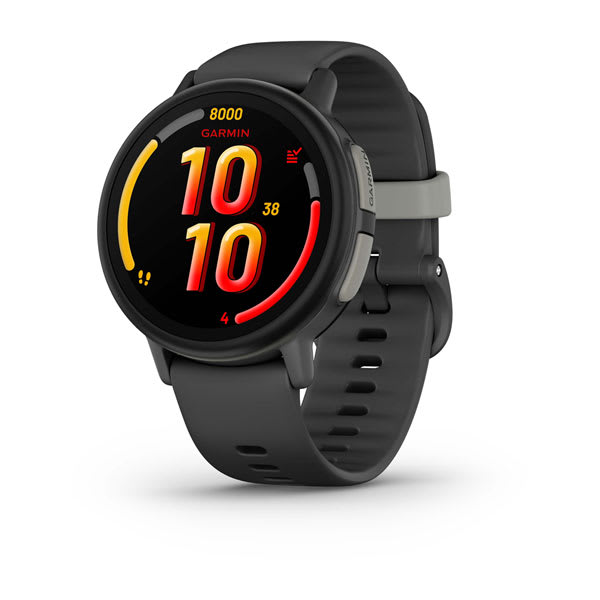
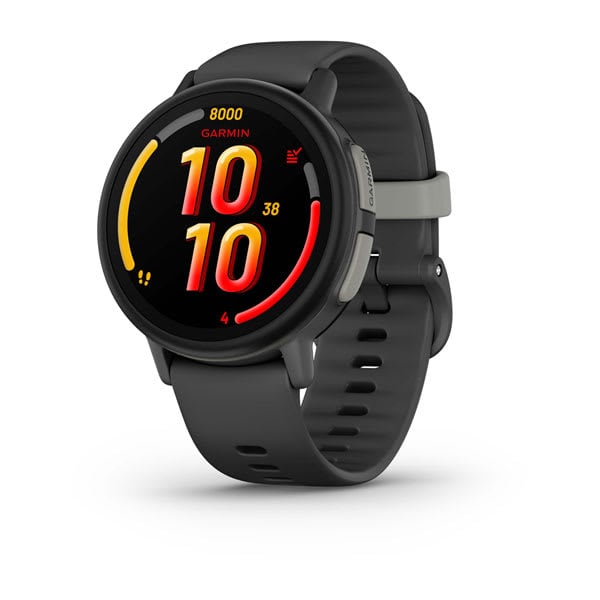
Garmin Bounce 2
$299.99· 4.3/5 rating
Affiliate Disclosure: This article contains affiliate links. If you purchase through our links, we may earn a small commission at no extra cost to you. This helps support our site and allows us to keep testing products for families like yours. All opinions are 100% our own -- we bought the Garmin Bounce 2 with our own money and have no sponsorship relationship with Garmin.
If you have been following along, you know I was a big fan of the original Garmin Bounce. It was the best GPS kids smartwatch you could buy, full stop. But it had one glaring gap: no voice calling. I said it plainly in that review -- there are moments when a text message or voice clip is not enough and you need to actually talk to your kid. Garmin heard us. The Garmin Bounce 2 adds two-way voice calling, wraps it in a stunning round AMOLED display, and keeps everything that made the original great.
After six weeks of daily use on our 8-year-old tester's wrist, I can tell you this is the most capable safety-focused kids smartwatch on the market. The GPS is still the gold standard. The battery still lasts two days. The build quality is still tank-like. And now you can actually call your kid. That is a significant leap.
But the Garmin Bounce 2 costs $299.99. That is the most expensive kids smartwatch I have ever reviewed. It is double the price of the original Bounce. It costs the same as an Apple Watch SE 3 and nearly twice the price of a TickTalk 5. So the question is not whether the Garmin Bounce 2 is good -- it is very good. The question is whether it is $300 good.
I am going to walk through every detail from six weeks of real-world testing so you can decide that for yourself.
Here is a quick reference table covering the core hardware before we go deep.
| Spec | Details |
|---|---|
| Display | 1.2" round AMOLED, 390 x 390 resolution |
| Glass | Chemically strengthened |
| Case | Fiber-reinforced polymer |
| Connectivity | 4G LTE (Garmin-managed), Wi-Fi, Bluetooth |
| Camera | None |
| GPS | Multi-GNSS (GPS + GLONASS + Galileo) |
| Battery | Up to 2 days |
| Charging | Under 2 hours to full |
| Water Resistance | 5 ATM (swim-proof to 50 meters) |
| Storage | 4GB |
| Voice Calling | Yes (built-in speaker and mic) |
| Messaging | Full keyboard text + voice messages with transcription |
| Music | Amazon Music integration |
| Activity Tracking | Running, walking, biking, pickleball, jump roping, team sports |
| Target Age | 6-12 years |
| Price | $299.99 |
| Monthly Plan | $9.99/mo or $99.99/yr (Garmin-managed) |
Two things jump off the spec sheet. First, the AMOLED display at 390 x 390 resolution is a massive upgrade from the original Bounce's 240 x 240 LCD. Second, two-way voice calling means Garmin has finally closed the biggest feature gap that kept some families from choosing the Bounce. The fiber-reinforced polymer case is also a step up in materials. This is not just a minor refresh -- Garmin rebuilt the hardware from the ground up.
If you own or are considering the original Bounce, here is exactly what is new in the Bounce 2.
| Feature | Garmin Bounce (Original) | Garmin Bounce 2 |
|---|---|---|
| Voice Calling | No | Yes (LTE) |
| Display | 1.3" LCD, 240 x 240 | 1.2" round AMOLED, 390 x 390 |
| Display Shape | Round | Round |
| Text Messaging | Preset messages only | Full keyboard + presets |
| Voice Messages | Yes | Yes, with transcription |
| Music | No | Amazon Music |
| Case Material | Reinforced polymer | Fiber-reinforced polymer |
| Activity Tracking | Walk, run, bike, swim | Walk, run, bike, pickleball, jump roping, team sports |
| Price | $149.99 | $299.99 |
| Monthly Plan | $9.99/mo or $99.99/yr | $9.99/mo or $99.99/yr |
The headline upgrade is voice calling. Everything else -- the AMOLED screen, full keyboard messaging, voice transcription, Amazon Music, expanded activity modes -- is gravy on top. But it is very good gravy.
The Garmin Bounce 2 is the best-looking kids smartwatch I have put on a child's wrist. That sounds like hyperbole. It is not.
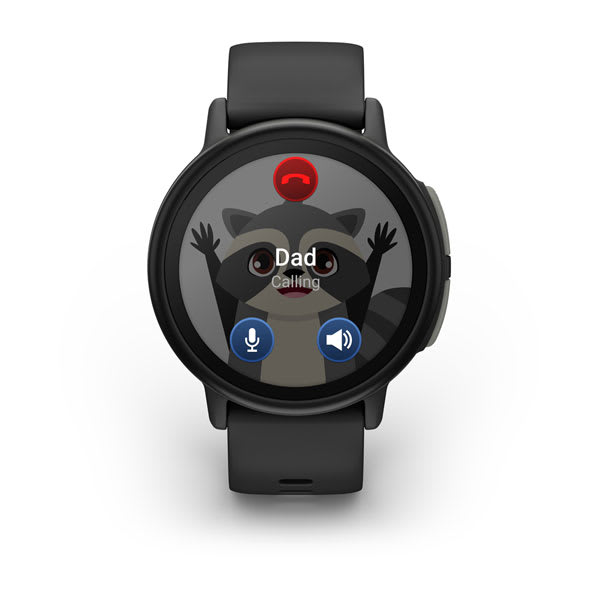
The 1.2-inch round AMOLED display is stunning. Colors are vivid and saturated. Blacks are true black because AMOLED pixels turn off completely. Text is razor-sharp at 390 x 390 resolution. The round shape looks like a real watch rather than a tiny rectangle strapped to a kid's arm. Our 8-year-old tester noticed the difference immediately when I handed her the Bounce 2 after weeks of wearing the original -- her exact words were "whoa, this one is so pretty."
The display is noticeably better than anything else in the kids smartwatch category. The TickTalk 5's rectangular screen is fine. The Xplora X6Play's display is adequate. The Bounce 2's AMOLED is in a different league. Watching our tester scroll through her activity stats and watch faces on this screen, it genuinely looks like a premium piece of technology rather than a kids toy. Garmin also offers multiple watch face options that take advantage of the round form factor and rich colors.
The fiber-reinforced polymer case is a step up from the original Bounce's standard reinforced polymer. It feels denser and more substantial without adding noticeable weight. After six weeks of our tester wearing it through soccer practice, playground time, school days, and the kind of general chaos that accompanies an 8-year-old's life, the watch shows minimal wear. A couple of light scuffs on the bezel. No screen scratches. No cracks. The chemically strengthened glass is doing its job.
The 5 ATM water resistance carries over from the original, which means this watch is genuinely swim-proof. our tester wore it in the pool three times during our testing period and in the shower daily because -- like the previous tester before her -- she refuses to take it off. Zero issues. For families who need a watch that survives water, the Bounce 2 remains the best option in the kids category. Our best waterproof smartwatches for kids guide covers the full landscape, but the Garmin watches stand alone at 5 ATM.
The silicone band is soft, comfortable, and identical in quality to the original Bounce. Our tester can put it on and take it off independently, which matters for school and bedtime. The band did not cause any skin irritation over six weeks of continuous wear.
This is the section that matters most for anyone who owned or considered the original Bounce. When I reviewed the first Bounce, I specifically called out the lack of voice calling as its biggest weakness. I described a scenario at a crowded farmers market where I needed to talk to one of our test kids in real time and could not. The Bounce 2 fixes that problem entirely.
The Bounce 2 has a built-in speaker and microphone that support two-way voice calling over LTE. You can call the watch from your phone. Your child can call you from the watch. It works like a phone call because it is a phone call.
I tested calling extensively over the six weeks.
Call quality from the watch speaker: Clear and surprisingly loud. In a quiet room, the audio is crisp and easy to understand from both ends. Outdoors in moderate ambient noise, our tester could hear me and I could hear her without issues. In genuinely loud environments -- a busy playground at recess, a soccer game with parents yelling -- the speaker struggled to compete, which is expected from a small wrist-worn device. our tester learned to cup her hand around the watch in noisy situations, which helped.
Microphone quality: Good. Our tester's voice came through clearly in testing across multiple environments. The microphone picks up the wearer's voice well without capturing excessive background noise. During calls, I could understand our tester easily even when she was outdoors.
Call connection time: Calls typically connected in 3 to 6 seconds with good LTE signal. Occasionally a call took up to 10 seconds in areas with weaker coverage. I experienced two failed connection attempts over six weeks, both in a parking garage with minimal signal.
Contact management: All contacts are managed through the Garmin Jr. parent app, just like the original Bounce. Our tester can only call numbers I have approved. She cannot receive calls from unknown numbers. The parent controls are exactly what I want.
The real-world difference this makes: Having voice calling changes the Bounce 2 from a safety device that handles 90 percent of communication scenarios to one that handles essentially all of them. When our tester got confused about which entrance I was parked at during school pickup, we had a 20-second phone call and sorted it out instantly. That same scenario on the original Bounce would have been a back-and-forth of voice messages over several minutes. Voice calling is not a nice-to-have on a kids watch. It is the table stakes feature that the original Bounce was missing, and Garmin has implemented it well.
The original Bounce limited kids to preset text messages and short voice clips. The Bounce 2 opens up the communication toolkit significantly.
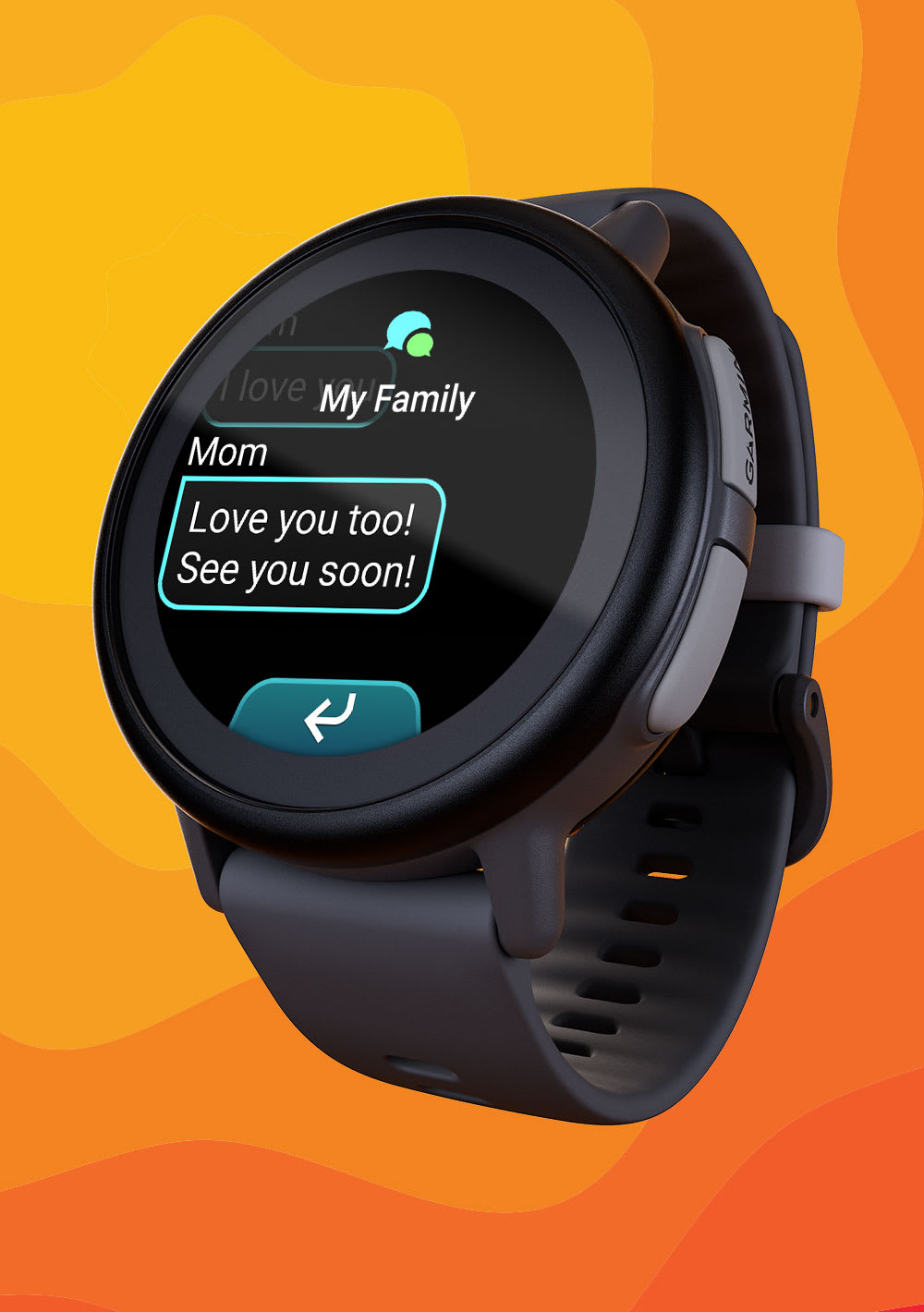
Full keyboard text messaging: The Bounce 2 includes a full on-screen keyboard that lets kids type out custom messages. On a 1.2-inch round screen, typing is not exactly a luxury experience -- the keys are small and our tester's accuracy was maybe 80 percent at first. But she adapted quickly, and the AMOLED display's sharpness helps with key legibility. For quick messages like "at dance" or "coming home," it works. For longer messages, she preferred voice messages.
Voice message transcription: This is one of those features that sounds minor on a spec sheet but is brilliant in practice. When our tester sends a voice message, the Bounce 2 automatically transcribes it to text on the parent app side. So instead of me needing to play an audio clip in a meeting or a quiet office, I can just read the transcript. Garmin's transcription is not perfect -- it occasionally stumbles on kid-speak and creative pronunciation -- but it is accurate enough to get the message across about 90 percent of the time. I love this feature.
Preset messages still available: The quick-tap presets from the original Bounce are still there for fast communication. I configured about 15 of them covering common situations. Our tester uses a mix of presets for routine messages and typed or voice messages for everything else.
If you read my original Garmin Bounce review, you know that GPS accuracy was where Garmin dominated every competitor by a wide margin. The Bounce 2 uses the same multi-GNSS positioning system -- GPS, GLONASS, and Galileo simultaneously -- and delivers the same elite performance.
I ran accuracy tests across the same environments I used for the original Bounce.
Outdoors, open sky: Consistently within 3 to 8 meters of actual position. Identical to the original Bounce and still the best in the kids smartwatch category by a meaningful margin.
Suburban neighborhood: 5 to 15 meters accuracy. The Bounce 2 maintained reliable satellite lock on tree-lined streets and between houses without the position jumps I have seen from competing watches.
Indoors: 30 to 50 meters using Wi-Fi and cell tower fallback. Every GPS watch struggles here, and the Bounce 2 is no exception. But for "is my kid at school" purposes, it is reliable.
Garmin has been making GPS technology for over 30 years. That expertise shows. If location accuracy is your primary reason for buying a kids smartwatch, the Bounce 2 (like the original) is the clear winner. No other kids watch comes close. For a comprehensive comparison, our best GPS smartwatches for kids guide ranks all the top options.
The original Garmin Bounce delivered 1.5 to 2 days of battery life with its power-sipping LCD display. When I saw the Bounce 2 had an AMOLED screen, I expected a significant battery hit. AMOLED displays are more power-hungry than LCDs, especially when showing bright content. Garmin claims "up to 2 days" for the Bounce 2. Here is what I actually measured.
Typical daily use (LTE active, GPS tracking at default intervals, school mode during school hours, 3 to 5 phone calls per day, 10 to 15 messages sent and received, step counting): The Bounce 2 consistently lasted 1.5 to 2 full days. I charged the watch Monday evening and it still had 20 to 30 percent battery Wednesday morning. That is genuinely impressive with an AMOLED display.
Heavy use days (frequent calling, GPS-tracked activities, Amazon Music streaming): The watch lasted a full day with battery to spare. I never saw it die before bedtime even on the heaviest use days.
Light use days (school mode active most of the day, minimal communication): The Bounce 2 stretched past 2 days on a couple of occasions.
Charging time: Garmin says under 2 hours from dead to full. I measured 90 to 110 minutes consistently. The proprietary magnetic charging cable clips onto the back of the watch securely. Our tester can dock it herself.
My recommended routine: Charge every other night. This keeps the watch comfortably above 30 percent at all times and provides a safety margin for unexpectedly heavy days. Compared to the nightly charging required by the TickTalk 5 and most other kids smartwatches, every-other-night charging feels like freedom. It also means the watch survives sleepovers, weekend trips, and camp days without needing a charger.
For a device designed to keep your kid connected and trackable, battery reliability is a safety feature. The Bounce 2 delivers.
The Bounce 2 carries forward all of the original Bounce's safety features and adds one notable improvement.
Temporary geofencing with entry/exit notifications is new. In addition to the permanent geofences from the original (home, school, the park), the Bounce 2 lets you create temporary geofences on the fly through the Garmin Jr. app. This is perfect for situations like "our tester is at a birthday party at an address she has never been to before, and I want to know if she leaves." Set it, get your notifications, and delete it when the event is over. Geofence alerts arrived within 30 to 60 seconds of the boundary crossing in my testing, which is consistent with the original Bounce's excellent performance.
SOS functionality works the same as the original: press and hold the side button for 3 seconds, and the watch sends an emergency alert with the current GPS location to all designated emergency contacts. I tested it twice. Both times the alert reached my phone within 15 seconds with an accurate map pin.
LiveTrack provides real-time position updates during activities. I used this during our tester's first solo bike ride to a friend's house and could watch her progress on the map.
School mode restricts interactive features during scheduled hours. GPS tracking and SOS remain active. The lack of a camera or games on the Bounce 2 continues to make it an easy sell to teachers. Our safety features guide covers how these protections compare across all major kids smartwatches.
Garmin's fitness pedigree continues to be a major differentiator. The Bounce 2 expands the original's activity modes with some welcome additions.
New activity modes include pickleball, jump roping, and team sports. These join the existing running, walking, biking, and swimming modes. Pickleball might seem oddly specific, but it reflects how popular the sport has become with families. Our tester has not tried pickleball on the watch yet, but she uses the jump roping tracker almost daily during recess and the team sports mode during soccer practice.
Step counting, active minutes, and the Garmin Jr. gamification remain the best fitness tracking ecosystem in the kids smartwatch category. Our tester earns gems, progresses along virtual adventure trails, and competes in Toe-to-Toe step challenges with another test kid (who still has the original Bounce). The motivational loop works. Our tester's daily active minutes have averaged over 75 since she started wearing the Bounce 2, which is well above the CDC-recommended 60 minutes for children.
Swim tracking is still unique to Garmin in the kids watch space. The 5 ATM rating means the Bounce 2 goes in the pool, and the watch logs laps, duration, and basic stroke data. No other kids smartwatch can do this.
Amazon Music integration is new and is a nice bonus for families with an Amazon Music subscription. Our tester can download playlists to the watch's 4GB of storage and listen through Bluetooth headphones. No phone needed. She uses this on car rides and while doing homework. It is not a reason to buy the Bounce 2 by itself, but it adds value for Amazon households.
For families specifically focused on fitness features, our best fitness trackers for tweens guide covers additional options, but the Bounce 2 is the most complete package of GPS watch plus fitness tracker in the kids category.
Here is where the Bounce 2's value proposition gets complicated. The watch itself costs $299.99, which is the highest upfront price of any kids smartwatch I have reviewed. But the monthly plan is among the cheapest.
Plan options:
| Plan | Cost | Effective Monthly |
|---|---|---|
| Monthly | $9.99/month | $9.99 |
| Annual | $99.99/year | ~$8.33 |
The plan is Garmin-managed, just like the original Bounce. No SIM card, no carrier store, no compatibility worries. You activate through the app. The plan covers voice calling, messaging, GPS tracking, and geofence alerts.
Total cost of ownership comparison:
| Timeframe | Garmin Bounce 2 | Apple Watch SE 3 | TickTalk 5 | Original Garmin Bounce |
|---|---|---|---|---|
| Watch | $299.99 | $299.00 | ~$159.99 | $149.99 |
| Year 1 Plan | $99.99-$119.88 | $10-$15/mo carrier | $9.95-$14.95/mo | $99.99-$119.88 |
| Year 1 Total | $399.98-$419.87 | ~$419-$479 | $279.39-$339.39 | $249.98-$269.87 |
| Year 2 Total | $499.97-$539.75 | ~$539-$659 | $398.79-$518.79 | $349.97-$389.75 |
The Bounce 2 is expensive in year one, no question. But Garmin's low monthly plan cost means the gap with the Apple Watch SE 3 narrows over time, and the Bounce 2 actually becomes cheaper in year two thanks to the affordable annual plan. The TickTalk 5 is significantly cheaper upfront, though, and that matters for many families.
The low monthly cost is a real advantage. At $99.99 per year with the annual plan, the Garmin Bounce 2 has the cheapest ongoing connectivity cost in the kids smartwatch category. For a deeper comparison of plan costs across all major watches, our kids smartwatch monthly plans guide breaks everything down.
Here is the head-to-head comparison for the watches families are most likely cross-shopping.
| Feature | Garmin Bounce 2 | Apple Watch SE 3 | TickTalk 5 | Original Garmin Bounce |
|---|---|---|---|---|
| Price | $299.99 | $299.00 | ~$159.99 | $149.99 |
| Display | 1.2" AMOLED (390x390) | OLED Retina | 1.4" IPS | 1.3" LCD (240x240) |
| Voice Calling | Yes | Yes | Yes | No |
| Video Calling | No | No (FaceTime on paired phone) | Yes | No |
| Camera | No | No | Yes | No |
| GPS Accuracy | Excellent (multi-GNSS) | Very Good | Good | Excellent (multi-GNSS) |
| Battery Life | ~2 days | ~18 hours | ~1-1.5 days | ~2 days |
| Water Resistance | 5 ATM (swimproof) | 5 ATM (swimproof) | IPX7 (splashproof) | 5 ATM (swimproof) |
| Fitness Tracking | Excellent | Excellent | Basic | Excellent |
| Monthly Plan | $9.99/mo | $10-15/mo (carrier) | $9.95-$14.95/mo | $9.99/mo |
| Best For | GPS + durability + active families | Apple ecosystem families | Video calling + camera | Budget GPS-focused |
The Garmin Bounce 2 vs Apple Watch SE 3 is the most interesting comparison at the same $299 price point. Both have excellent GPS tracking and swim-proof durability. The Apple Watch has deeper ecosystem integration if your family is all-in on Apple, plus a larger app ecosystem. But the Bounce 2 has better battery life (2 days vs ~18 hours), a dedicated kids-first design philosophy, Garmin's superior GPS accuracy, and a lower monthly plan cost. The Apple Watch also requires an iPhone for setup and management, while the Garmin Jr. app works on both iOS and Android.
The Garmin Bounce 2 vs TickTalk 5 comes down to priorities. The TickTalk 5 costs $140 less and includes a camera and video calling -- two features the Bounce 2 lacks entirely. If your kid wants to take photos and make video calls, the TickTalk 5 is the clear choice. If GPS accuracy, battery life, swim-proof durability, and fitness tracking matter more, the Bounce 2 wins decisively. For a full feature-by-feature breakdown, see our TickTalk 5 vs Garmin Bounce 2 comparison.
The Garmin Bounce 2 vs the original Bounce is a straightforward upgrade question. Voice calling, the AMOLED display, full keyboard messaging, voice transcription, and Amazon Music are all genuine improvements. But they come at a $150 premium. If you already own the original Bounce and your kid is happy with messaging-only communication, there is no urgent reason to upgrade. If you are buying new and your budget allows it, the Bounce 2 is the better watch in every dimension. For a detailed comparison of the original Bounce against other competitors, see our Garmin Bounce vs Xplora X6Play comparison.
Every product has weaknesses. Here is what genuinely bothered me over six weeks.
The price is hard to swallow. $299.99 is a lot of money for a device your child will outgrow. At double the price of the original Bounce and nearly double the TickTalk 5, Garmin is asking for a significant premium. The low monthly plan helps over time, but the upfront sticker shock is real. Many families simply cannot justify $300 for a kids watch, and I do not blame them.
Still no camera or video calling. The original Bounce's lack of voice calling was a dealbreaker for some families. Garmin fixed that. But the lack of a camera means no photos and no video calls. Our tester's friends with TickTalk watches send each other pictures. Our tester cannot participate. Whether this matters depends on your kid, but the social reality is that cameras on watches are increasingly expected by kids, and the Bounce 2 still does not have one.
The full keyboard is cramped on a round screen. Having a keyboard is better than not having one, and our tester adapted. But typing on a 1.2-inch round display is inherently awkward. The keys at the edges of the round screen are smaller than the ones in the center. Kids with larger fingers may find this frustrating. Voice messages and presets remain the faster communication methods.
The charging cable is still proprietary. This was my complaint about the original Bounce and it persists. Lose the cable, and you are ordering a replacement. I would love USB-C. I expect Garmin has durability and water-sealing reasons for the proprietary connector, but it is still inconvenient.
4GB of storage fills up with music. If your child uses the Amazon Music feature heavily, 4GB goes fast. A few playlists and you are managing storage. This is a minor complaint, but it is worth knowing.
The Garmin Bounce 2 is the right choice if:
Consider alternatives if:
Rating: 8.5 / 10
The Garmin Bounce 2 is the best safety-and-fitness-focused kids smartwatch you can buy. Garmin took the original Bounce -- already the GPS accuracy champion -- and addressed its biggest weakness by adding voice calling, then upgraded the display to the best screen in the kids watch category, added a full keyboard, voice transcription, and music streaming. After six weeks of daily use on our tester's wrist, the Bounce 2 delivered elite GPS tracking, rock-solid durability, genuine swim-proof toughness, and the longest battery life of any full-featured kids smartwatch I have tested.
The $299.99 price is the elephant in the room, and it is a big elephant. This is the most expensive kids smartwatch on the market. For families who prioritize GPS accuracy, durability, and fitness tracking above all else, the investment is justified -- especially when you factor in the low $99.99/year plan that brings long-term costs in line with cheaper watches. But if your child's primary need is a camera, video calling, or phone-like features, you will get more value from a TickTalk 5 at roughly half the price.
For active, outdoorsy families who want the most accurate GPS tracking, the toughest build, and voice calling that actually works -- and who do not need a camera -- the Garmin Bounce 2 is the new gold standard. It is what the original Bounce should have been from day one, and it earns my strongest recommendation in the safety-focused kids smartwatch category. See where the Garmin Bounce 2 ranks in our best kids smartwatches for 2026 roundup.
Check the current price on Amazon
You can also compare prices across all top kids smartwatches on our deals page.
Yes, the Garmin Bounce 2 supports two-way voice calling over LTE -- the biggest upgrade over the original Bounce, which could only send text and voice messages.
The Bounce 2 has a built-in speaker and microphone for voice calling. Your child can call parent-approved contacts, and you can call the watch from your phone. Calls connect in 3 to 6 seconds with good signal and audio quality is clear in most environments. All contacts are managed through the Garmin Jr. parent app, so your child can only call numbers you have approved.
No, the Garmin Bounce 2 has no camera and no video calling -- Garmin deliberately focused the watch on safety, fitness, and communication rather than entertainment.
The Bounce 2 does not include a camera or video calling capability. This is a deliberate design choice to keep the watch focused on safety, fitness, and communication rather than entertainment. If a camera and video calling are important to your family, consider the TickTalk 5 which includes both features at a lower price point.
Yes, the Garmin Bounce 2 is rated 5 ATM (swim-proof to 50 meters) and is safe for pool swimming, open water, and daily showers.
It is genuinely swim-proof, not just splashproof. Our tester wore it in the pool multiple times over six weeks with zero issues. The watch also tracks swim laps, duration, and basic stroke data -- a feature no other kids smartwatch offers. For a full comparison of waterproof kids watches, see our best waterproof smartwatches for kids guide.
The Garmin Bounce 2 lasts 1.5-2 days on a single charge -- the best battery life of any full-featured kids smartwatch, requiring only every-other-night charging.
Real-world use delivers 1.5 to 2 days between charges, even with the AMOLED display. This means charging every other night rather than every night. By comparison, the TickTalk 5 and most competitors require nightly charging, and the Apple Watch SE 3 typically lasts about 18 hours. Full recharge takes under 2 hours.
The Garmin Bounce 2 is worth $300 if GPS accuracy, swim-proof durability, and fitness tracking are your top priorities -- and the $99.99/year plan makes long-term costs competitive with cheaper watches.
The Bounce 2 delivers the best GPS accuracy, best battery life, best display, and best water resistance in the kids smartwatch category. The low $99.99/year plan also means ongoing costs are cheaper than competitors. Over two years, the total cost of ownership is comparable to watches with lower upfront prices but higher monthly plans. If GPS tracking, durability, and fitness are your top priorities, the investment is justified. If you need a camera or video calling, the TickTalk 5 at about half the price is a better value.
Upgrade if you need voice calling -- that is the Bounce 2's biggest addition, along with an AMOLED display, full keyboard messaging, and Amazon Music. If messaging-only communication works for your family, the original Bounce is still excellent.
If the lack of voice calling on the original Bounce frustrated you, the Bounce 2 is a worthwhile upgrade. Voice calling, the AMOLED display, full keyboard messaging, and Amazon Music are all meaningful improvements. However, if your child is happy with messaging-only communication and the original Bounce is meeting your family's needs, there is no urgent reason to spend another $300. The original Bounce's GPS accuracy, battery life, and durability are still excellent. Read our original Garmin Bounce review for a refresher on what it offers.
The Garmin Bounce 2 uses a Garmin-managed LTE plan at $9.99/month or $99.99/year -- the lowest ongoing cost in the kids smartwatch category, with no SIM card or carrier store required.
The plan is activated entirely through the Garmin Jr. app. There is no SIM card to buy, no carrier store to visit, and no compatibility issues. You activate the plan entirely through the Garmin Jr. app. The plan covers voice calling, text messaging, GPS tracking, and geofence alerts. Without the plan, the watch still functions as a fitness tracker and regular watch via Bluetooth, but all cellular features require an active subscription.
Our hands-on Garmin Bounce review covers GPS accuracy, battery life, durability, and whether this premium kids smartwatch is worth buying.
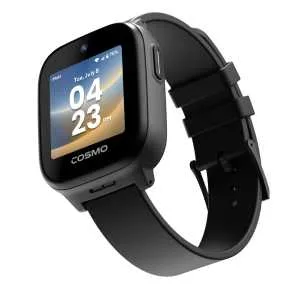
Our hands-on COSMO JrTrack 5 review covers HaloGPS accuracy, Spotify Kids, battery life, and whether the $150 watch plus $18/month plan is worth it for your family.

Our honest Gizmo Watch 3 review after real-world testing. GPS tracking, video calling, and 5MP camera -- but is the Verizon lock-in worth it? Full breakdown.
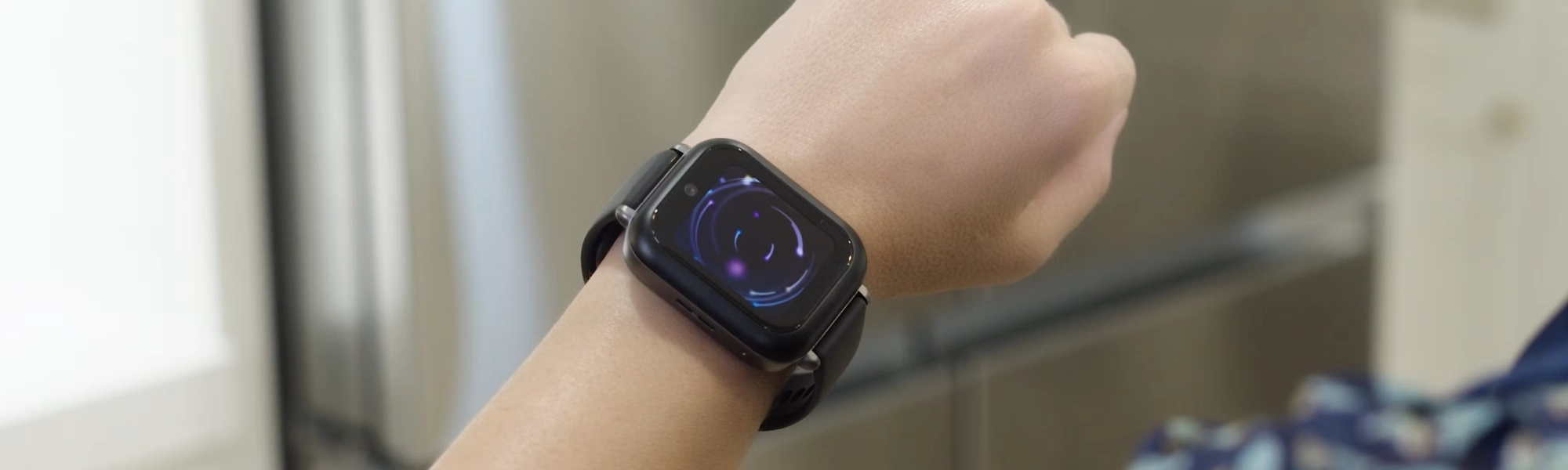
Our hands-on Bark Watch review covers AI content monitoring, GPS tracking, camera, battery life, and whether the $15/month plan is worth it for safety-focused families.
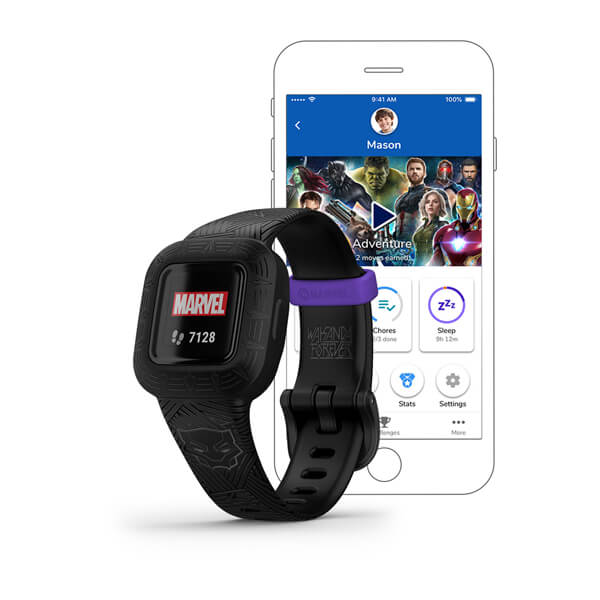
Our hands-on Garmin Vivofit Jr. 3 review covers step counting, chore management, swim-proof durability, and the 1-year battery life. Is this $90 no-fee fitness tracker worth it for your family?
New review alerts, deal drops, and seasonal buying guides — delivered weekly. No spam, unsubscribe anytime.
No spam. Unsubscribe anytime.