
Reviews|
Gizmo Watch 3 Review: Is Verizon's Kids Smartwatch Worth It in 2026?
Our honest Gizmo Watch 3 review after real-world testing. GPS tracking, video calling, and 5MP camera -- but is the Verizon lock-in worth it? Full breakdown.
After 10 weeks of real-world testing, here's our honest TickTalk 5 review. AI SmartPin GPS, 48-hour battery, HD video calling, and iHeartRadio — full breakdown inside.
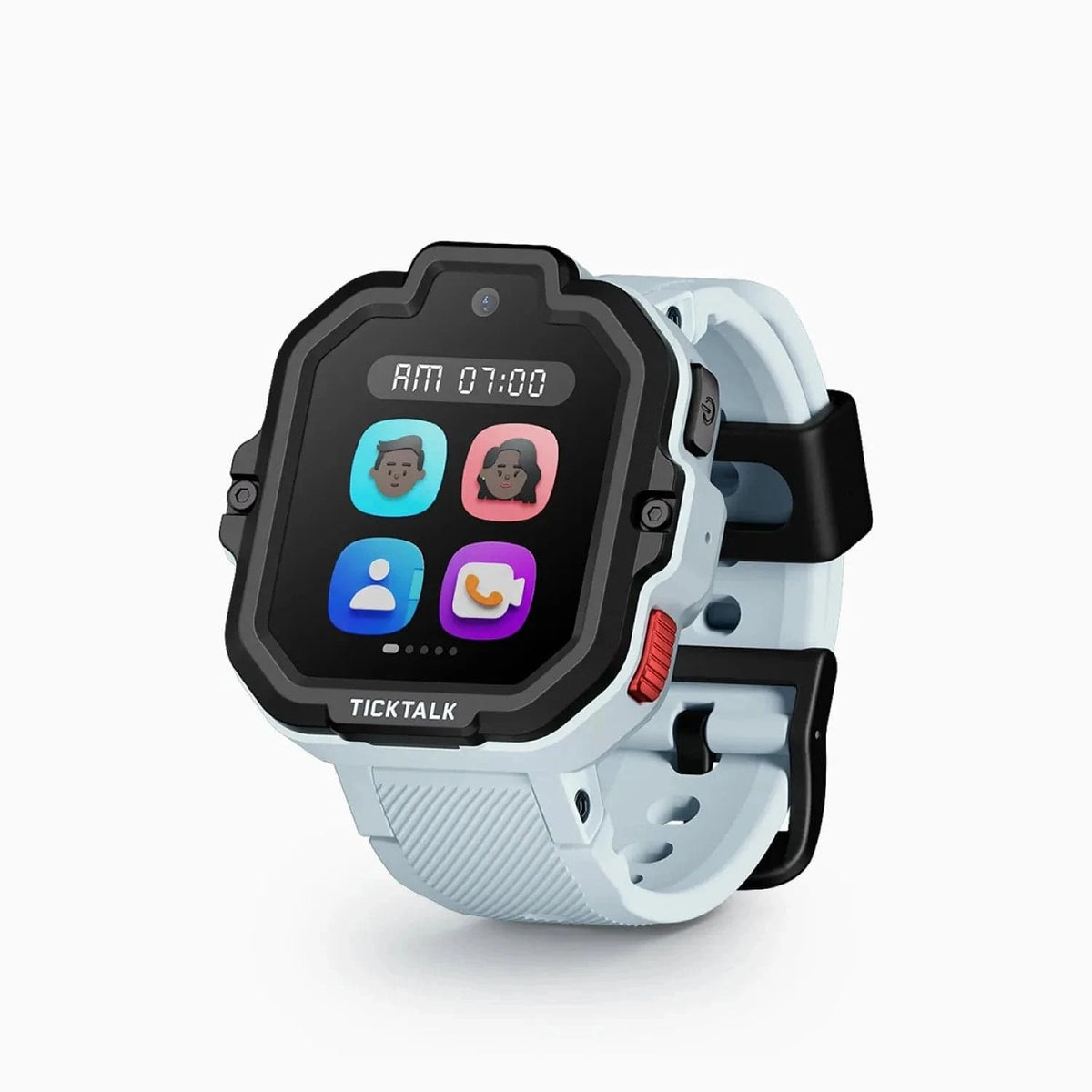
TickTalk 5
$159.99· 4.3/5 rating
Affiliate Disclosure: This article contains affiliate links. If you purchase through our links, we may earn a small commission at no extra cost to you. This helps support our site and allows us to keep testing products for families like yours. All opinions are 100% our own -- we bought the TickTalk 5 with our own money and have no sponsorship relationship with TickTalk.
I will save you some scrolling if you are in a hurry: the TickTalk 5 is the best kids smartwatch for families who want video calling, reliable GPS, and strong battery life without spending more than $160 upfront. After ten weeks of daily use on our 8-year-old tester's wrist, I can say it delivers meaningful improvements over the TickTalk 4 in nearly every area that mattered -- and it costs $20 less.
The battery actually lasts two full days now. The AI-powered SmartPin GPS is noticeably more accurate. iHeartRadio streaming is a genuine hit with kids. And the video calling remains the best in the kids smartwatch category, which was already the TickTalk 4's strongest card.
But "improved" does not mean "perfect." The TickTalk 5 is still only IP67 rated, which means it cannot go in the pool. The monthly cellular plan is a real ongoing cost. And the screen, while functional, is not going to impress anyone who has seen a modern smartphone display. If your kid is a swimmer, you should look at the Garmin Bounce instead. If you need the most well-rounded feature set, the Xplora X6Play is still in the conversation.
I am going to walk through everything I observed over the past ten weeks so you can make a genuinely informed decision. Let's get into it.
Before we go deep, here is a quick reference table covering the core hardware specifications.
| Spec | Details |
|---|---|
| Display | 1.52" TFT touchscreen, 240 x 283 pixels |
| Processor | Quad-core, 1GB RAM |
| Storage | 8GB internal |
| Connectivity | 4G LTE (AT&T, T-Mobile), Wi-Fi, Bluetooth |
| Front Camera | 5MP (photos, selfies, video calls) |
| GPS | AI SmartPin GPS with Google Maps integration |
| Battery | 800 mAh lithium-polymer |
| Battery Life | ~48 hours normal use, up to 137 hours standby |
| Water Resistance | IP67 (splashproof, not swimproof) |
| Band Material | Silicone with integrated antenna |
| Colors | Multiple options available |
| Target Age | 3-12 years |
| Price | $159.99 |
| Monthly Plan | Starting at $9.99/month, no contract |
| Key Feature | iHeartRadio free music streaming |
Two things stand out immediately compared to the TickTalk 4. The battery jumped from 750 mAh to 800 mAh and now delivers roughly 48 hours of real-world use versus the TickTalk 4's 1 to 1.5 days. And the price dropped from $179.99 to $159.99. Getting more battery and more features for less money is the rare upgrade where you genuinely get more for less.
If you are coming from the TickTalk 4 or deciding between the two, here is a clear breakdown of what is new and what stayed the same.
What improved:
What stayed the same:
What is no longer included:
The TickTalk 5 is a good-looking watch by kids smartwatch standards. The overall footprint is similar to the TickTalk 4, but the slightly larger 1.52-inch screen gives it a more modern, less cramped feel. On our 8-year-old tester's wrist, it looks proportional -- clearly a kids watch, but not in a way that screams "toy." He was happy to wear it to school every day without complaints.
The case is polycarbonate with a clean finish. After ten weeks of daily abuse -- playground climbing, bike rides, being dropped on the kitchen floor multiple times, and one incident involving a backpack that somehow ended up at the bottom of a pile of other backpacks -- the watch has some cosmetic scuffs but zero structural damage. The screen has no scratches. Whatever protective coating they are using holds up well to real kid life.
The display is a 1.52-inch TFT touchscreen at 240 x 283 pixels. Let me set expectations honestly: this is not a gorgeous screen. Colors are decent and text is readable, but you will notice the pixel density if you look closely. It is perfectly adequate for everything the watch needs to do -- navigating menus, reading messages, video calling -- but it is not going to wow anyone with visual quality. In direct sunlight, readability is fine. Not amazing, but workable.
Touch responsiveness is reliable. Our tester navigates through menus, scrolls through contacts, and answers calls without frustration. That is the bar for a kids device, and the TickTalk 5 clears it.
The silicone band deserves specific mention because TickTalk did something clever here: the cellular antenna is integrated into the strap. This means the strap is doing double duty as a comfort component and a signal component. In practice, I noticed that the TickTalk 5 held a more stable cellular connection in areas where the TickTalk 4 would occasionally drop to one bar. Whether this is entirely due to the antenna-in-strap design or a combination of factors, the result is improved connectivity.
The band itself is comfortable. Our tester wore it all day every day, including during sleep on a few occasions when he forgot to take it off. The buckle closure is easy enough for an 8-year-old to operate independently, and the hole spacing accommodates wrists from roughly age 4 or 5 up to about 12.
One design note for parents of very young kids: TickTalk markets the TickTalk 5 for ages 3 to 12, and while it will physically fit a 3-year-old's wrist, I think the sweet spot is realistically 5 to 12. A 3 or 4-year-old will struggle with the touchscreen interface and will not get much use out of the communication features. By age 5, most kids can navigate the basics with some guidance.
Video calling was the reason the TickTalk 4 earned its reputation, and the TickTalk 5 carries that forward. This remains the best video calling experience you can get on a kids smartwatch.
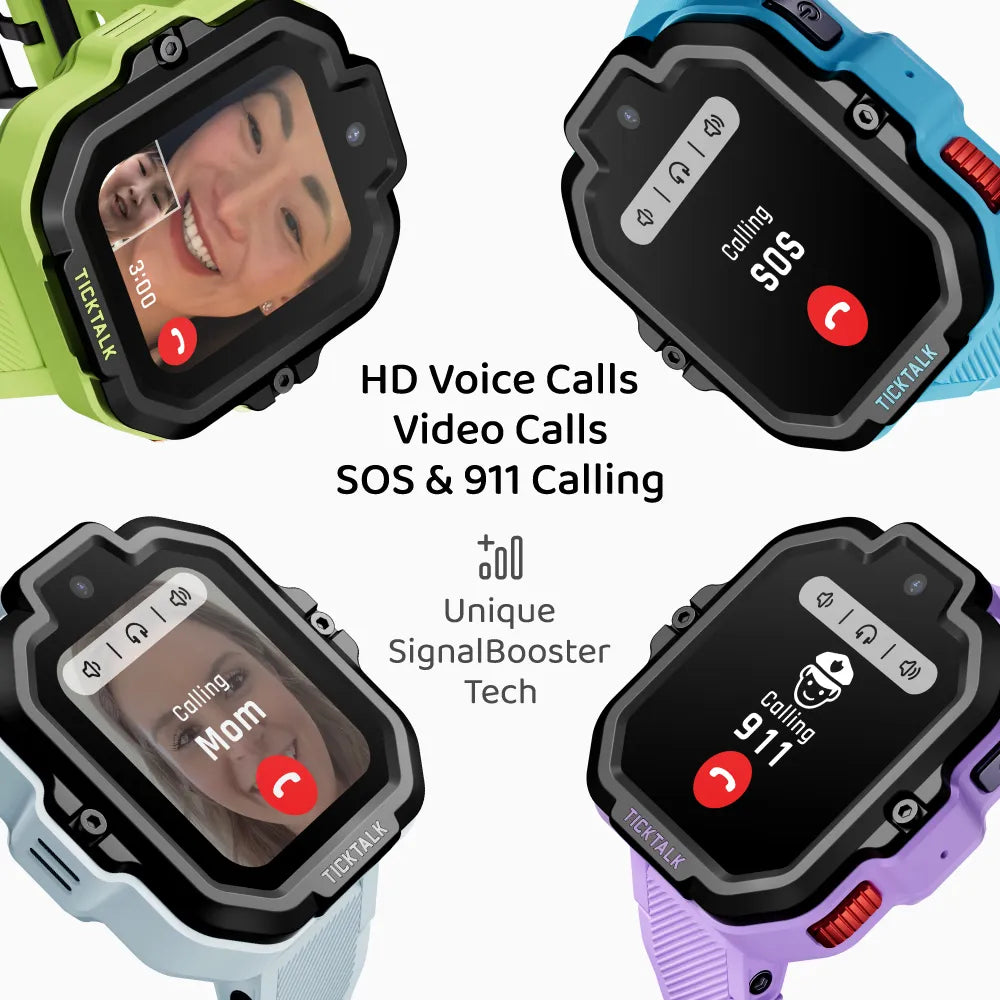
The 5MP front-facing camera produces clear enough video for meaningful face-to-face conversations. I tested video calls across a range of conditions over the ten-week period:
Our 8-year-old tester used video calling primarily for after-school check-ins, quick "I got here safely" calls, and the occasional "Dad, you need to see this" moment that makes the whole investment worthwhile. In all of those typical, real-world scenarios, the video calling worked reliably.
The same limitation from the TickTalk 4 applies: video calls require the TickTalk app on the other person's device. Your kid cannot video call a random phone number. I have the app on my phone, another parent on our team has it on theirs, and grandparents were set up as well. Standard voice calls, by contrast, work with any phone number in the approved contacts list.
Compared to the Xplora X6Play, which also supports video calling, the TickTalk 5 still delivers noticeably smoother frame rates and more consistent connections. This is TickTalk's specialty, and they continue to lead here. For a full camera comparison across every kids watch on the market, see our best kids smartwatches with camera guide.
The TickTalk 5 introduces what they call "AI SmartPin" GPS with Google Maps integration. TickTalk claims roughly 10% better accuracy compared to the TickTalk 4's positioning system. After running structured tests across four environments over the first three weeks, I can confirm the improvement is real and noticeable.
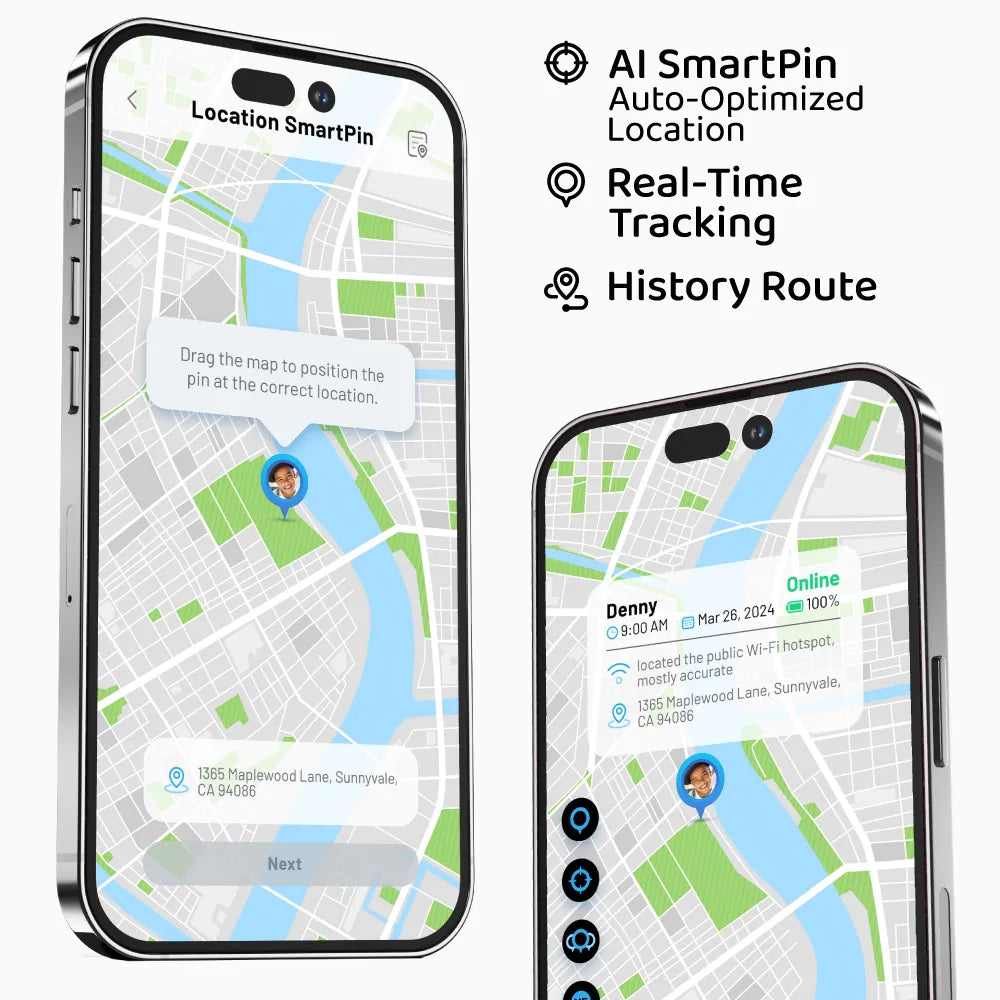
Here is what I measured:
The Google Maps integration means the location is displayed on a real Google Maps interface in the parent app, which is a noticeable upgrade from the TickTalk 4's somewhat basic map. Street names, landmarks, and satellite view are all available. This makes the location data feel more useful and contextual.
Geofencing continues to work well. I set up zones for home, school, and the park. Entry and exit notifications typically arrived within 1 to 2 minutes, with occasional delays up to 3 minutes. Over ten weeks, I had zero instances where a geofence notification failed entirely.
For families where GPS accuracy is the absolute top priority, the Garmin Bounce with its multi-GNSS system still offers the best raw accuracy in the kids smartwatch category. But the TickTalk 5's SmartPin GPS narrows that gap, and when you factor in that the TickTalk 5 also gives you video calling, a camera, and music streaming, the total package is compelling. To see how all GPS watches compare side by side, check our best GPS smartwatches for kids ranking.
Here is a truth about kids smartwatches that I have learned after testing dozens of them: the features parents care about (GPS, SOS, geofencing) are not the features that make kids excited to wear the watch every day. Kids need a reason to love the device, and for the TickTalk 5, that reason is iHeartRadio.
The TickTalk 5 includes free iHeartRadio music streaming directly on the watch. No subscription fee. No phone required. Your kid can listen to thousands of curated radio stations through the watch's built-in speaker or connected Bluetooth earbuds.
Our tester discovered this feature within the first hour of having the watch and it instantly became his favorite thing about it. He listens to music while doing homework, during car rides, and before bed. The selection is radio-station-based rather than on-demand (your kid cannot search for a specific song and play it), but the genre variety is broad enough that he always finds something he likes.
Parental control note: You can manage iHeartRadio access through the parent app's 40+ parental controls. You can disable it entirely, restrict it to certain hours, or leave it open. I restricted it during school hours and homework time, which was easy to configure and enforced reliably.
Audio quality through the watch's speaker is exactly what you would expect from a tiny wrist speaker -- thin, tinny, and adequate for casual listening. Through Bluetooth earbuds, it sounds noticeably better. Our tester uses basic Bluetooth earbuds when he wants better sound, and the pairing process was simple enough that he set it up without adult help.
This is the kind of feature that does not show up on spec comparison sheets but makes a real difference in whether your kid actually wants to wear the watch. In our testing household, it has been a genuine win.
This is where the TickTalk 5 makes the most meaningful leap over its predecessor. The TickTalk 4's battery life was its most common complaint -- nightly charging was mandatory, and heavy-use days sometimes meant a dead watch by late afternoon. The TickTalk 5 fixes this.
Here is what I actually measured over ten weeks:
Typical daily use (our tester's routine: a few voice calls, 1 to 2 video calls, GPS tracking at 5-minute intervals, some iHeartRadio listening, camera use, general watch interaction throughout the day): the watch consistently lasted about 2 full days. I could charge it Monday night and it would make it through Wednesday morning with battery to spare.
Heavy use days (weekends with frequent calling, extended iHeartRadio sessions, lots of photo-taking, GPS tracking): the watch reliably lasted a full day and still had 25 to 35 percent battery by bedtime. On the TickTalk 4, those same kinds of days sometimes killed the watch by 4 PM. That problem is gone.
Light use days (school days with quiet mode active, minimal calling, basic use): the watch stretched well beyond 2 days. On one occasion, I measured nearly 60 hours of use before the low battery warning appeared.
Standby: TickTalk claims up to 137 hours of standby time. I did not rigorously test this since nobody buys a watch to leave it sitting idle, but the few times the watch was left untouched for a weekend, it barely lost charge.
Charging time from dead to full was approximately 1.5 to 2 hours via the magnetic USB charging cable. The magnetic connection is functional but not particularly strong -- it will hold on a nightstand but a bump will dislodge it.
My recommended routine: Charge it every other night. This is a genuine upgrade from the TickTalk 4's nightly charging requirement and brings the TickTalk 5 into the same territory as the Garmin Bounce, which was previously the battery champion of the kids smartwatch category. The 800 mAh cell combined with whatever power management optimizations TickTalk implemented makes a real, tangible difference in daily convenience.
For a safety device that doubles as your kid's communication lifeline, battery life matters more than it does for most gadgets. A dead watch means no GPS, no SOS, no calls. The TickTalk 5's 48-hour endurance gives you a genuine safety margin that the TickTalk 4 never had.
Beyond video calling, the TickTalk 5 includes a full suite of communication features.
Voice Calls: Standard 4G voice calls work with any number in the approved contacts list. Call quality is clear -- the speaker is loud enough for outdoor use and the microphone picks up the wearer's voice well. Calls connect quickly on decent signal.
Group Messaging: The TickTalk 5 supports group messaging with GIFs and emojis, which is new territory for kids smartwatches. Our tester and two of his friends (who also have TickTalk watches) have a group chat going, and the emoji and GIF support makes the conversations feel fun rather than utilitarian. From a parent's perspective, all messages are visible in the app and you can manage who is in the group.
Voice Messages: Press-and-hold voice clips work like a walkie-talkie. Our tester uses these constantly for quick updates -- "I'm at practice," "picking me up at 5?" -- and they send and receive reliably with only a few seconds of delay.
Text Messages: The watch receives pre-set text messages and emoji. Your kid can respond using quick replies or emoji reactions. No free-form typing, which makes sense given the screen size.
SOS with 911 Calling: Holding the power button for 3 seconds activates the SOS sequence. The TickTalk 5 sends a location alert to all emergency contacts and then initiates a call. The upgrade here is that the TickTalk 5 can actually dial 911 directly, which is a meaningful safety feature that not all kids watches offer. I tested the SOS alert (not the 911 component) and it triggered within seconds. For a thorough look at how SOS and other protective features compare across brands, see our kids smartwatch safety features guide.
Approved Contacts: All communication is restricted to parent-approved contacts. Your child cannot receive calls or messages from unknown numbers and cannot add contacts themselves. This is the right approach for this age range, and TickTalk implements it cleanly.
TickTalk advertises 40+ parental controls on the TickTalk 5, and after digging through every menu, I can confirm the claim is legitimate. The parent app gives you granular control over essentially every aspect of the watch's functionality.
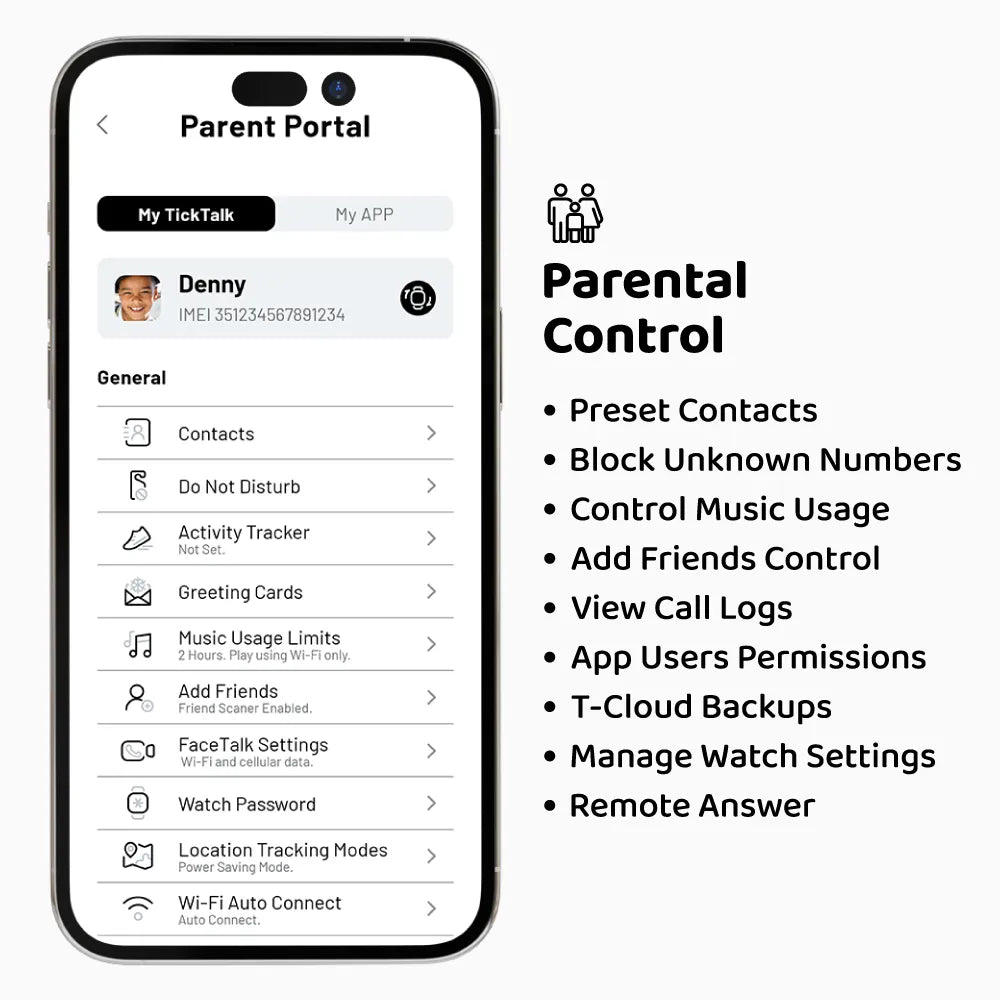
Key controls include:
The parent app itself (available for iOS and Android) has improved since the TickTalk 4 era. The Google Maps integration for GPS tracking is a notable upgrade -- the map is cleaner, loads faster, and provides better context than before. The overall app still has occasional moments of sluggishness, but the rough edges I noted in my TickTalk 4 review have been smoothed out somewhat.
Is the app as polished as the Garmin Jr. app? No, not quite. But it is functional, reliable, and significantly better than what TickTalk offered a year ago.
The TickTalk 5 is rated IP67, which means it handles splashes, rain, hand washing, and brief accidental submersion (up to 1 meter for 30 minutes per the standard). It is not rated for swimming.
This is the one area where I genuinely wished TickTalk had made a bigger improvement. The TickTalk 4 was also IP67, and upgrading to at least IP68 or ideally 5 ATM would have removed the last major reason families consider alternatives.
In practical terms: Our tester wears the watch in rain and washes his hands with it on without issue. He has splashed around in puddles with no problems. But it comes off before the pool, before the beach, and before water balloon fights get too intense.
If your kid swims regularly, this matters. The Garmin Bounce at 5 ATM is genuinely swimproof and can be worn in the pool without a second thought. If your kid does not swim much or you are fine with a "take it off for the pool" rule, the IP67 rating is perfectly adequate for daily life. Our best waterproof smartwatches for kids guide covers the full range of water-resistant options.
The TickTalk 5 requires a cellular data plan to function. Without a SIM card and active plan, you have an expensive offline watch. Here is what the ongoing costs look like.
Compatible carriers: AT&T and T-Mobile networks, including MVNOs that run on those networks. The TickTalk 5 does not work with Verizon. This remains a significant limitation for many families.
Plan costs:
For a deeper dive into which plan makes the most sense for your family, our kids smartwatch monthly plans comparison breaks down every option.
Total cost of ownership comparison:
| Timeframe | TickTalk 5 | TickTalk 4 | Garmin Bounce | COSMO JrTrack |
|---|---|---|---|---|
| Watch | $159.99 | $179.99 | $149.99 | ~$149.99 |
| Year 1 Plan | $119.88 | $119.40 | $99.99-$119.88 | ~$120 |
| Year 1 Total | $279.87 | $299.39 | $249.98-$269.87 | ~$269.99 |
| Year 2 Total | $399.75 | $418.79 | $349.97-$389.75 | ~$389.99 |
The TickTalk 5 is $20 cheaper than the TickTalk 4 upfront, which means the total cost of ownership is lower across every timeframe. The Garmin Bounce remains the most affordable premium option, but it lacks video calling and a camera. Among watches that offer video calling, the TickTalk 5 is now the most cost-effective choice.
Here is the head-to-head comparison with the watches parents most commonly cross-shop.
| Feature | TickTalk 5 | Garmin Bounce | COSMO JrTrack | Bark Watch |
|---|---|---|---|---|
| Price | $159.99 | $149.99 | ~$149.99 | $169.00 |
| Video Calling | Yes (best in class) | No | No | No |
| Voice Calling | Yes (4G) | No (messages only) | Yes (4G) | Yes (4G) |
| Camera | 5MP front | None | 2MP front | 5MP |
| GPS | AI SmartPin | Multi-GNSS (best) | GPS/Wi-Fi/LBS | GPS/Wi-Fi/LBS |
| Battery Life | ~48 hours | 1.5-2 days | 1-2 days | 1-2 days |
| Water Resistance | IP67 | 5 ATM (swimproof) | IP67 | IP68 |
| Music Streaming | iHeartRadio (free) | No | No | No |
| Monthly Plan | $9.99+/mo | $9.99/mo (optional) | ~$10/mo | $15/mo |
| Best For | Video calling + music | GPS accuracy + swimmers | Budget cellular watch | Content monitoring families |
The Garmin Bounce remains the better choice if GPS accuracy, swim-proofing, or fitness tracking are your top priorities. But it cannot make calls or video calls. If communication is important -- and for most families with kids 6 and up, it is -- the TickTalk 5 offers dramatically more.
The COSMO JrTrack is a solid budget alternative with voice calling and GPS, but it lacks video calling, has a weaker camera, and does not have music streaming. If the TickTalk 5's price is a stretch, the COSMO is a reasonable step down. For a detailed side-by-side, see our TickTalk 5 vs COSMO JrTrack 5 comparison.
The Bark Watch is interesting for families already in the Bark ecosystem for content monitoring, but at $169, it costs more than the TickTalk 5 while offering fewer features (no video calling, no music).
The Xplora X6Play remains the best all-around competitor with video calling, a good camera, and broad carrier support including Verizon. If you are on Verizon, the X6Play is your best bet since the TickTalk 5 will not work on that network.
No review is useful unless it covers the genuine downsides. Here is what frustrated me over ten weeks.
Still not swimproof. IP67 is fine for daily life, but in 2025, when the Garmin Bounce has been shipping 5 ATM water resistance for over a year, the TickTalk 5's lack of swim-proofing feels like a missed opportunity. If your kid does swim team, takes swim lessons, or just spends a lot of time in the water, you will be constantly reminding them to take the watch off.
No Verizon support. If your family is on Verizon, the TickTalk 5 is not an option. TickTalk has not addressed this limitation across two generations of watches now, and it remains a hard blocker for a significant portion of American families.
The screen resolution is just adequate. At 240 x 283 pixels on a 1.52-inch display, the pixel density is low enough that text and icons look slightly soft up close. It is fine for functional use, but an older kid comparing it to a friend's phone screen will notice the difference.
The charging cable is proprietary. Lose it and you are ordering a replacement. I wish TickTalk would move to USB-C.
The monthly plan adds up. At minimum $9.99 per month with no way around it, you are committing to $120 per year in service costs on top of the watch purchase. For families with multiple kids, this scales quickly.
The parent app still has room for improvement. It is better than the TickTalk 4 era, but occasional sluggishness when loading map data and the odd UI quirk remind you that this is not a first-party Apple or Google experience.
The TickTalk 5 is the right choice if:
Consider alternatives if:
Rating: 8.5 / 10
The TickTalk 5 is the most complete kids smartwatch you can buy for under $160. After ten weeks of daily use, it delivered on every promise that matters: video calling that actually works, GPS tracking that is meaningfully more accurate than its predecessor, battery life that genuinely lasts two days, and a music streaming feature that our test kid uses every single day.
Compared to the TickTalk 4, the upgrade is clear-cut. Better battery, better GPS, a larger display, iHeartRadio, antenna-in-strap design for improved signal, and a $20 lower price tag. If you are choosing between the TickTalk 4 and TickTalk 5 today, buy the TickTalk 5 without hesitation. For a detailed side-by-side of every spec and feature, see our TickTalk 4 vs TickTalk 5 comparison.
In the broader kids smartwatch landscape, the TickTalk 5 earns the top spot for families who prioritize communication features. The Garmin Bounce remains my recommendation for families who prioritize GPS accuracy, swim-proofing, and fitness tracking. If you are weighing the TickTalk 5 against the Garmin Bounce 2 specifically, our TickTalk 5 vs Garmin Bounce 2 comparison breaks down every difference. And the Xplora X6Play is still the strongest all-around option if you need Verizon support. Parents considering a premium Apple Watch for their child instead can see our Apple Watch SE vs TickTalk 5 comparison for a detailed side-by-side.
But for the parent who wants to see their kid's face on a video call, know exactly where they are, and have the peace of mind that the battery will last through two full days of real kid life -- the TickTalk 5 is the best option on the market right now. See where the TickTalk 5 ranks in our best kids smartwatches for 2026 roundup, or check our best GPS smartwatches for kids guide for the full breakdown.
Check the current price on Amazon
Looking for the best price? Our deals page tracks current pricing and discounts on all the top kids smartwatches.
Yes, the TickTalk 5 is a clear upgrade over the TickTalk 4 -- it costs $20 less ($159.99 vs $179.99), doubles the battery life to 48 hours, adds AI SmartPin GPS, and includes free iHeartRadio music streaming.
The TickTalk 5 also has an improved antenna design for more reliable cellular connectivity. If your TickTalk 4 is still working fine you do not need to rush, but if you are buying new or replacing a worn-out TickTalk 4, the TickTalk 5 is the clear choice.
No, the TickTalk 5 does not work with Verizon -- it is only compatible with AT&T and T-Mobile networks (including MVNOs like Mint Mobile and Red Pocket).
The TickTalk 5 does not work with Verizon. If Verizon is your only carrier option, the Xplora X6Play and Garmin Bounce both support Verizon. For a full breakdown of which watches work with which carriers, see our monthly plans comparison guide.
No, the TickTalk 5 is rated IP67 (splashproof only) and is not safe for swimming, showering, or extended water exposure.
The IP67 rating means it can handle splashes, rain, hand washing, and brief accidental submersion (up to 1 meter for 30 minutes), but it is not designed for swimming. If your child swims regularly, the Garmin Bounce with its 5 ATM rating is the right choice. For more options, see our best waterproof smartwatches for kids guide.
The TickTalk 5's cheapest plan is $9.99/month through TickTalk's own service (no contract, no activation fee), with AT&T and T-Mobile plans running $10-$15/month.
TickTalk's own plan is powered by T-Mobile's network. You can also use a standalone plan from AT&T or T-Mobile, typically $10 to $15 per month. The cellular plan is required for all core features -- calling, messaging, GPS tracking, and SOS. Without a plan, the watch functions only as a basic offline timepiece.
The TickTalk 5's SmartPin GPS is accurate within 4-10 meters outdoors, while the Garmin Bounce's multi-GNSS system still leads at 3-8 meters -- but the gap has narrowed significantly.
The SmartPin GPS is a meaningful improvement over the TickTalk 4, delivering roughly 10% better accuracy. In my testing, it was consistently within 4 to 10 meters outdoors and 8 to 20 meters in suburban areas. The Garmin Bounce, using its multi-GNSS system (GPS + GLONASS + Galileo), still edges ahead at 3 to 8 meters outdoors and 5 to 15 meters in suburbs. The Garmin has the best raw GPS accuracy in the kids smartwatch category. But the gap has narrowed with the TickTalk 5, and for most real-world parenting scenarios -- knowing which park, which street, or which building your kid is at -- both watches provide sufficient accuracy.
Yes, the TickTalk 5 has a quiet/school mode that disables interactive features during class hours while keeping GPS tracking and SOS active in the background.
The school mode can be scheduled through the parent app. When active, interactive features are disabled and the screen goes dark. GPS tracking and the SOS function continue to operate in the background. Many schools that prohibit smartphones are more accepting of watches in quiet mode, but check your child's school policy before assuming it will be allowed. For tips on navigating school rules, see our best kids smartwatches for school guide.
Our honest Gizmo Watch 3 review after real-world testing. GPS tracking, video calling, and 5MP camera -- but is the Verizon lock-in worth it? Full breakdown.

Our hands-on Bark Watch review covers AI content monitoring, GPS tracking, camera, battery life, and whether the $15/month plan is worth it for safety-focused families.
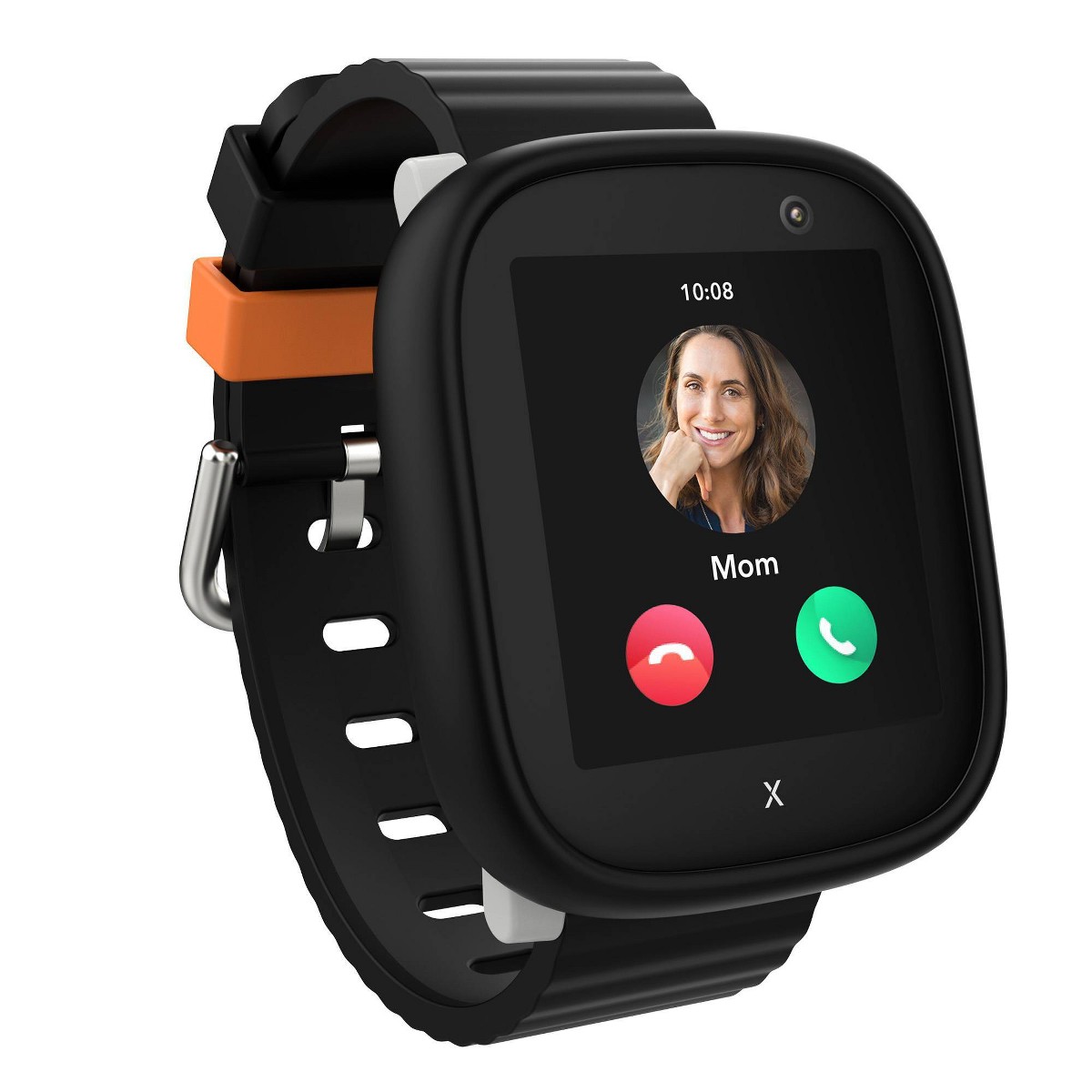
After 8 weeks of daily testing, here's our honest Xplora X6Play review. GPS tracking, 4G calling, camera, and school mode — full breakdown inside.
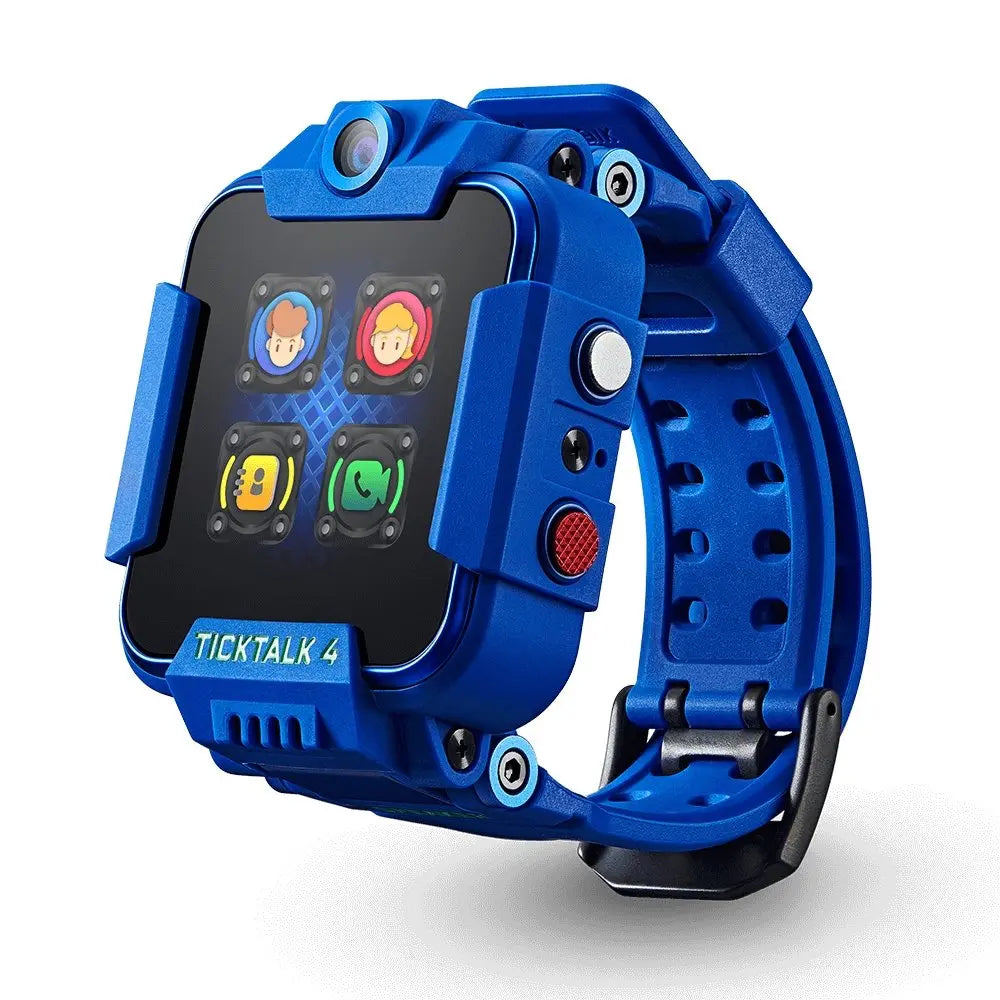
After 8 weeks of daily use, here's our honest TickTalk 4 review. Video calling, GPS tracking, and camera tested by a real family. Full breakdown inside.
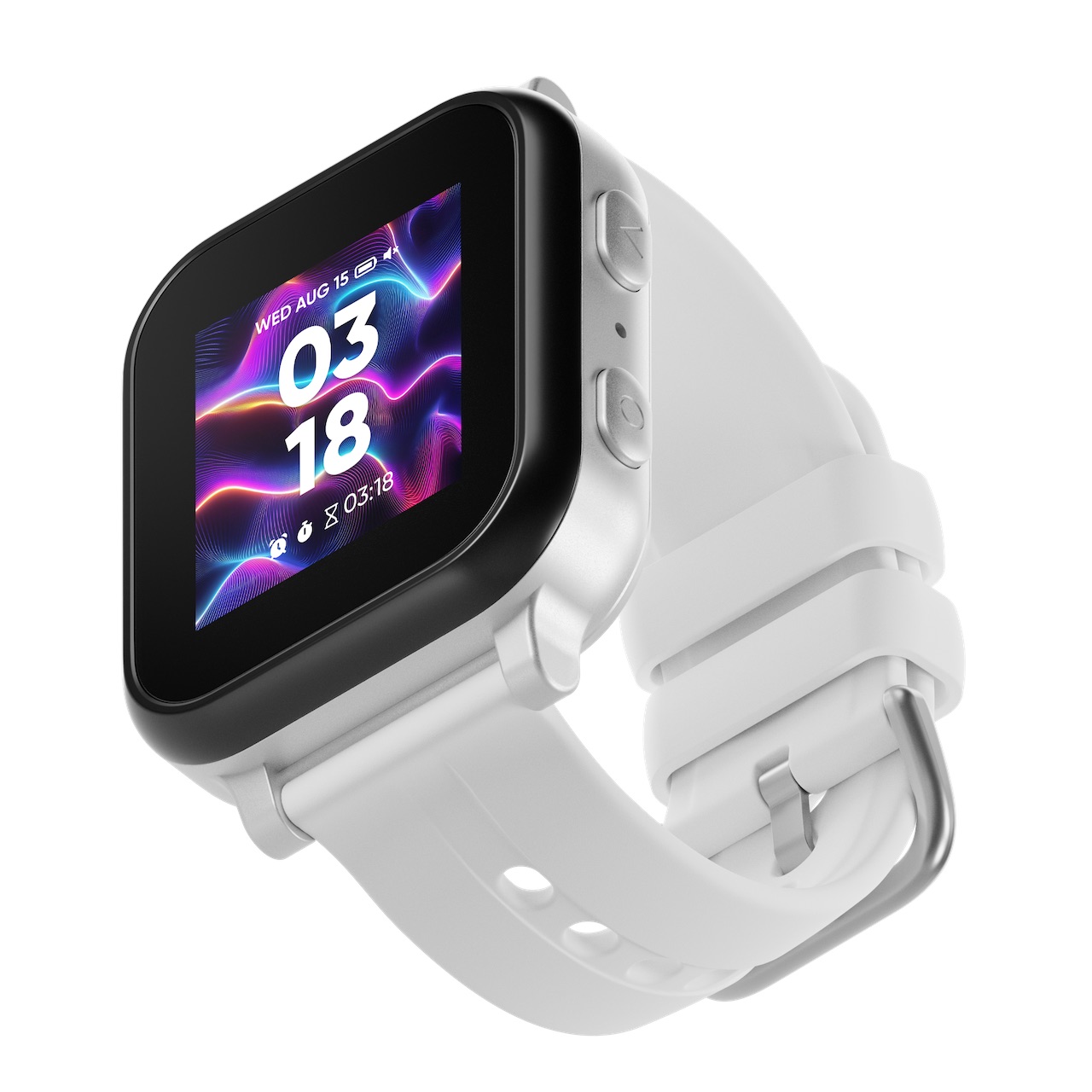
Our hands-on Gabb Watch 3e review covers GPS tracking, wireless charging, battery life, and whether this intentionally simple kids smartwatch is worth buying in 2026.
New review alerts, deal drops, and seasonal buying guides — delivered weekly. No spam, unsubscribe anytime.
No spam. Unsubscribe anytime.